How to build in Minecraft with an AI, without coding
You can build in Minecraft with an AI by describing what you want, in your own words, and letting the AI place the blocks in your world. CRAFT AI, the Minecraft mod, does this on Java Edition 26.3, for free, with your own Claude subscription, and every build can be undone.
Last updated Applies to CRAFT AI 0.13.0, Minecraft: Java Edition 26.3
What is an AI builder for Minecraft?
An AI builder for Minecraft is a tool that turns a description, such as “a castle with a moat”, into blocks in your world, instead of you placing the blocks or writing the commands yourself.
CRAFT AI is an AI builder in the form of a mod for Minecraft: Java Edition (Fabric, Forge or NeoForge). You write or say what you want, and Claude builds it in your world. Every build is different, and one click undoes it.
You do not need to code. There are no commands to learn and no blueprints to draw: you write what you want in your own words, in any language.
What are the ways to build in Minecraft with an AI?
Tools that build in Minecraft with an AI fall into four categories. They differ in what you do yourself and in what you need to install.
| Approach | What you do | What you need |
|---|---|---|
| A chatbot that writes commands | You ask for the commands, copy them into the game and run them yourself. | A chatbot, and the right to run commands in your world. |
| A generator that writes a schematic file | You ask for a file that describes the build, then load it into your world with a separate tool. | The generator, a tool that loads schematic files, and a Minecraft version that both support. |
| A builder mod or plugin | You describe the build and the tool places the blocks in your world. | The mod or plugin for your Minecraft version and loader or server, and an AI service behind it (a subscription, an account, a key or a local model, depending on the tool). |
| An AI companion or agent | You give it goals and it plays and builds on its own, like another player. | The program or mod, and an AI service behind it. |
CRAFT AI is our mod, and it belongs to the third category: a builder mod that runs on your own computer and places the blocks for you. Nothing is installed on a server.
How does CRAFT AI build in Minecraft?
You press K, type or say what you want, and CRAFT AI hands the request to your own Claude Code, which builds it in your world. In four steps:
- You write or say what you want: press K, then describe it in your own words, or hold V to speak it.
- The mod hands your request to your own Claude Code, signed in with your subscription. Nothing goes through a CRAFT AI server.
- Claude plans the build and places the blocks in your world, through the mod’s tools.
- You watch it appear, and you can undo it with the Undo button or with
/undo.
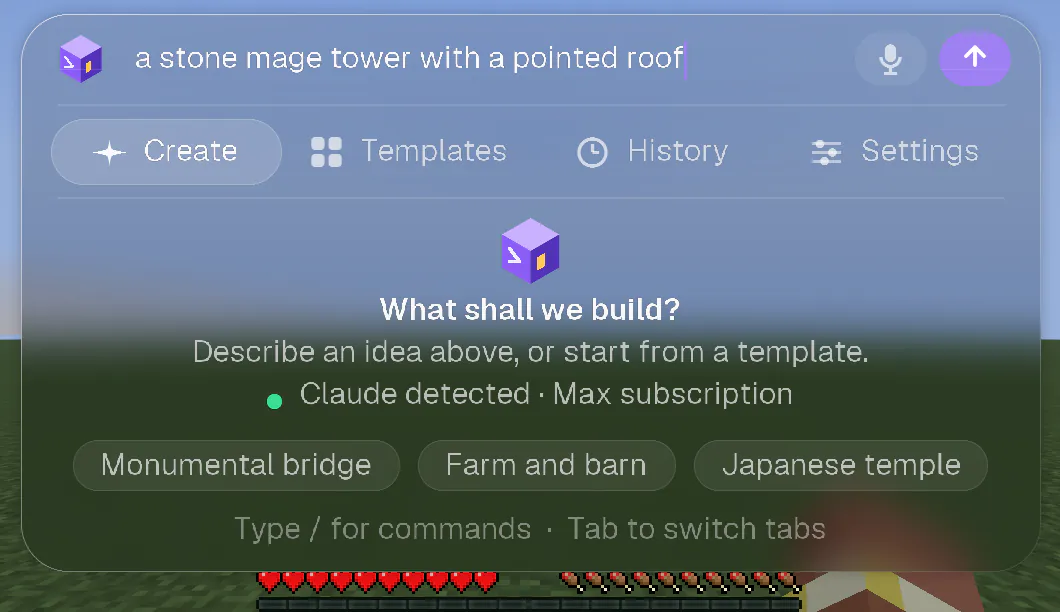
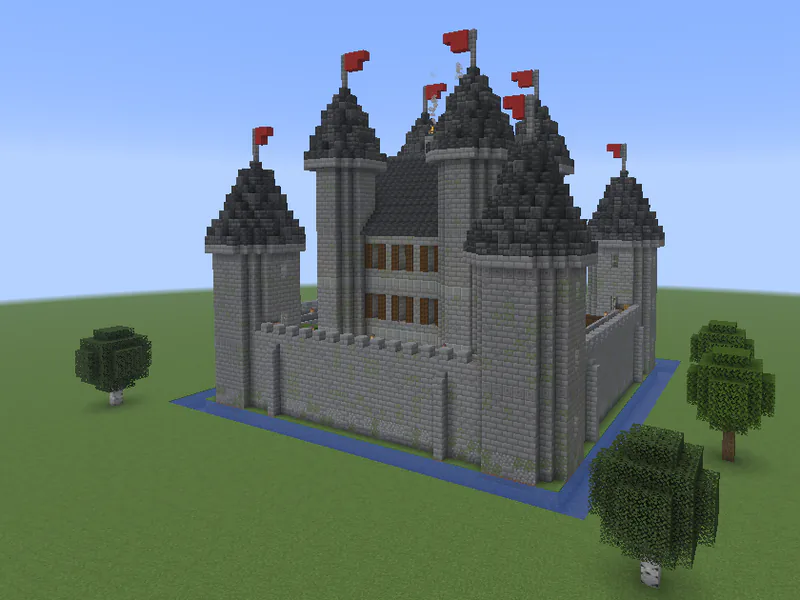
A hut takes about a minute and a castle many minutes. The time is the AI’s thinking, not the game’s: placing 100,000 blocks takes about 0.3 seconds. You can keep playing while it builds, or stop it with /stop.
Every request also draws a random creative direction, so the same sentence twice gives two different builds.
What do I need to build with CRAFT AI?
You need Minecraft: Java Edition 26.3, a mod loader, Java 25, and a Claude subscription with Claude Code.
| You need | Details |
|---|---|
| Minecraft: Java Edition 26.3 | Only 26.3 and its fixes (26.3.1 and so on). Minecraft is now numbered by year: 26 means 2026, and there is no 1.26. If your launcher offers 1.21.x, 26.1 or 26.2, CRAFT AI will not load there. Bedrock Edition is not supported. |
| A mod loader | Fabric: Loader 0.19.5 or later, and Fabric API. Forge: 66 or later. NeoForge: 26.3.0.52-beta or later (a beta). Forge and NeoForge need nothing else. The same CRAFT AI file works with all three: which one to pick. |
| Java 25 | The launcher usually brings it. |
| A Claude subscription | Pro, Max, Team or Enterprise, with Claude Code installed and signed in. The free plan does not include Claude Code. Anthropic bills the subscription, separately from CRAFT AI. No API key is needed. |
| A computer | Windows, macOS or Linux. See below for what has been tried. |
CRAFT AI has been played and tested by a person on macOS (Apple Silicon), with Fabric. On Windows 10 and on Linux (Intel/AMD and ARM) the automated tests pass, but nobody has played there yet. Forge and NeoForge are new in this version: they were tried by automated runs of the real game on a Mac, and nobody has played with them yet.
The guide takes you through each of these steps, launcher by launcher.
Is CRAFT AI free?
Yes. CRAFT AI is free to download and to use: no account, no licence key, nothing to pay. You only need your own Claude Pro or Max subscription, which Anthropic bills separately and CRAFT AI does not resell.
Donations on Ko-fi are optional and give nothing in return: everyone has exactly the same mod.
What are the limits of building with CRAFT AI?
- Size. A build is limited to 100,000 blocks.
- Time. A hut takes about a minute, a castle many minutes. The levels Quick, Detailed and Masterpiece trade time for detail: how to choose a level.
- Versions. Minecraft: Java Edition 26.3 only, with Fabric, Forge or NeoForge. Bedrock Edition is not supported.
- Your Claude plan. CRAFT AI needs a Claude subscription that includes Claude Code. The free plan does not.
- Full rights in your world. In your own world the AI acts as your operator: it can run any game command and place any block. A build can be undone, but what a command changes cannot always be undone, so back up worlds you care about.
- Multiplayer. It works on servers where you can use
/filland/setblock, from your own computer and with your own rights: nothing is installed on the server. It is in beta and has not been tried on a real dedicated server yet (the FAQ has the details).
How do I start?
- Install Minecraft 26.3 with a mod loader, Fabric, Forge or NeoForge (step by step).
- Install Claude Code and sign in with your Claude account (install Claude Code, connect your account).
- Download the CRAFT AI file from the Install section and put it in the mods folder of your profile. With Fabric, add Fabric API too.
- Start the game with that profile, open a world and press K.
- Describe your first build: what makes a good request. Not what you wanted? Type
/undo.
Setting everything up takes about fifteen minutes, once. Open the guide.
Frequently asked questions
Do I need to know how to code to build in Minecraft with an AI?
No. With CRAFT AI there are no commands to learn and no blueprints to draw: you write or say what you want in your own words, in any language, and the AI places the blocks.
Is CRAFT AI free?
Yes: no account, no licence key, nothing to pay. You only need your own Claude Pro or Max subscription, billed separately by Anthropic.
Do I need an API key?
No. CRAFT AI uses the Claude subscription you signed in with, through Claude Code on your computer. If an API key variable such as ANTHROPIC_API_KEY exists on your machine, the mod ignores it so that your subscription is the one used.
Does it work on Bedrock Edition?
No. CRAFT AI is a mod for Minecraft: Java Edition 26.3. Bedrock Edition is not supported.
Can I undo a build I do not like?
Yes. Every request is a transaction: one click on Undo, or /undo, restores the exact blocks from before, chest contents included. What a command changes cannot always be undone, so back up worlds you care about.